 Trip Tracka
Trip Planner for Real Travel
Build a trip, save the places you want to go and keep plans, costs and memories together as the journey changes.
- Free plan, no card needed
- Phone, tablet and computer
- Pay once for Nomad Lifetime
In short
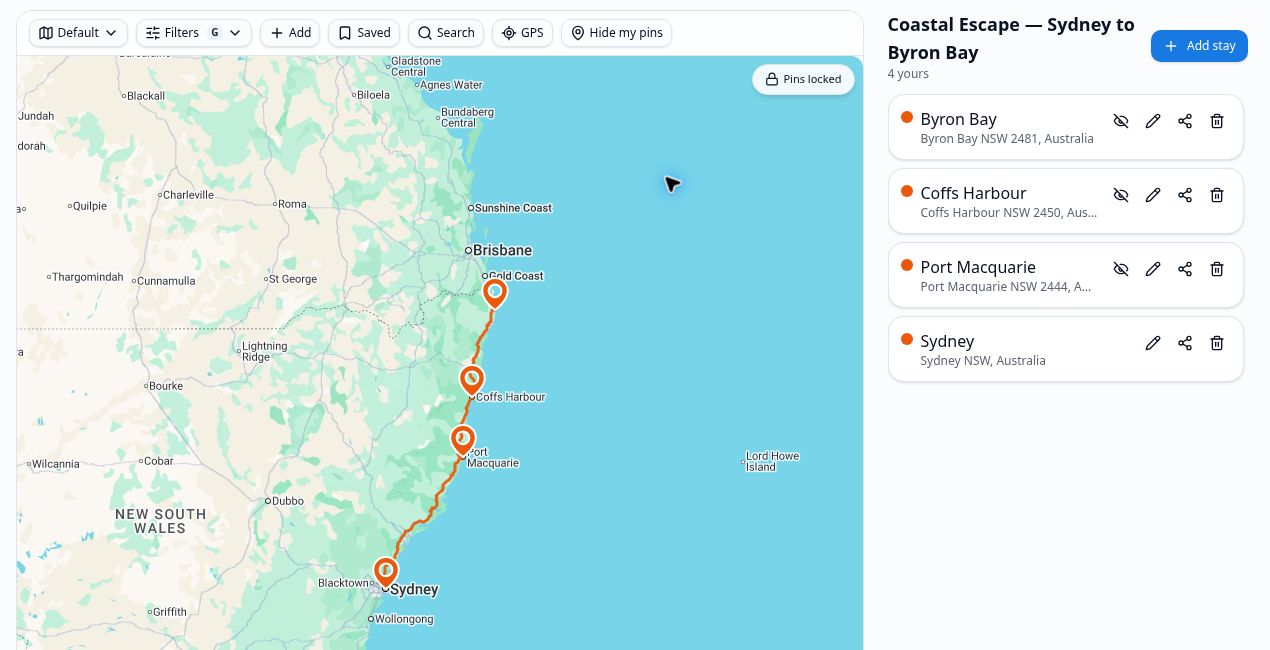
Trip Tracka brings the places, stays, route, notes, budget and expenses for a journey into one saved trip. Start with a free account and build your plan at your own pace.
What you get with Trip Planner
Route and stops
Save the places and stays that make up the trip.
Dates and details
Keep useful notes alongside the locations you have planned.
Trip budget
Set spending targets before you leave.
Real expenses
Add travel costs and fuel as they happen.
Shared trips
Invite friends to follow and plan together.
Gear and packing
Prepare what you need to take with you.
How it works in Trip Tracka
- 1
Create a trip
Open Your trips, name the journey and set its dates and starting details.
- 2
Build the route
Add stays and waypoints, then use the trip planner to review the places and travel legs.
- 3
Keep it up to date
Add notes, record expenses and invite companions as your plans take shape.
More about Trip Planner
A trip changes between the first idea and the journey home. Trip Tracka keeps its stops, stays and notes together so you can adjust the plan without losing track of the rest.
Add a budget before you go. On the road, record fuel and expenses against the trip to see what the journey really costs.
The same trip can hold a weekend break, a long road journey or a shared holiday with friends.
Frequently asked questions
How do I start planning?
Create an account, add a trip and begin saving its places, dates and travel details.
Can I change a trip after saving it?
Yes. Add or update stops, stays and other trip details as your plans change.
Can I track what the trip actually costs?
Yes. Create a budget and record expenses for the trip to compare planned and real spending.
Can I plan with friends?
Yes. Use trip invites to bring companions into a shared trip.