 Trip Tracka
Travel Expense Tracker for Each Trip
Log the real cost of fuel, stays, groceries, activities and repairs as you travel, then review them by trip and category.
- Free plan, no card needed
- Phone, tablet and computer
- Pay once for Nomad Lifetime
In short
Trip Tracka records travel expenses against a trip, stay or vehicle so you can see where your money went by category and compare spending with your trip budget.
What you get with Travel Expense Tracker
Expense categories
Keep fuel, accommodation, food and other costs organised.
Trip and stay context
Connect a cost to the journey or stop it belongs to.
Vehicle fuel costs
Add litres and odometer readings to fuel entries for more detail.
Entries as you go
Record a date, amount, category and description on the road.
File attachment
Keep an invoice or receipt file with an entry where needed.
Shared trip view
Keep trip expenses beside the plan you share with travel companions.
How it works in Trip Tracka
- 1
Add an expense
Choose a category, amount and date; add a description or supporting file when useful.
- 2
Give it context
Connect the entry to a trip, stay or vehicle where it belongs.
- 3
Review and export
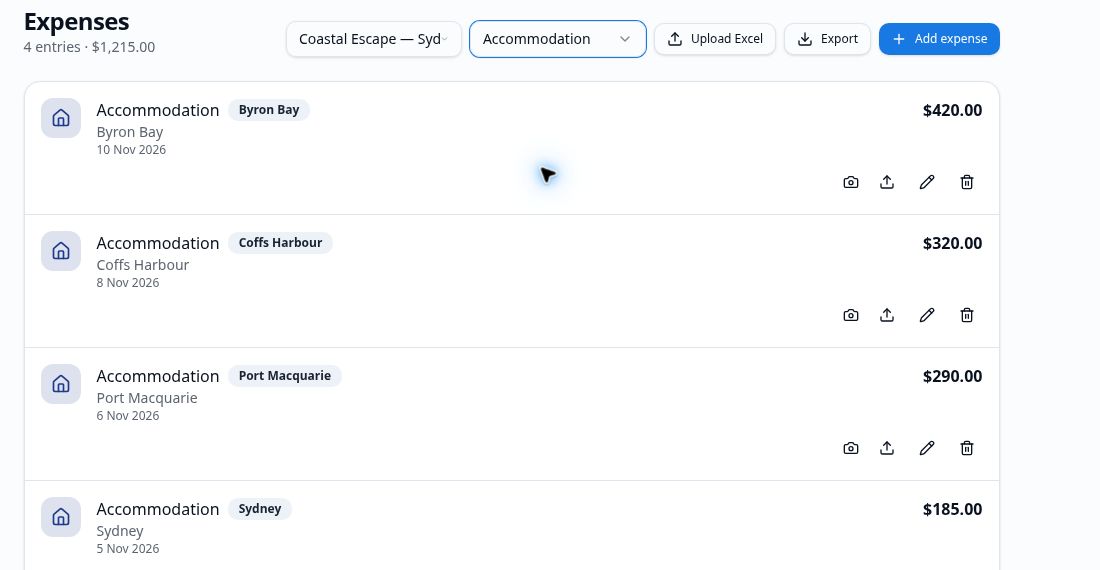
Filter the entries for a trip, check your budget and export your records if needed.
More about Travel Expense Tracker
Add expenses while the details are still fresh. A dated entry with an amount and category is easier to review than a pile of receipts at the end of the trip.
Tie costs to a trip, a saved stay or a vehicle where relevant. Fuel entries can carry more detail, while other categories give you a clear view of everyday travel spending.
Use the budget and expenses together to see the difference between what you planned and what you actually spent.
Frequently asked questions
What expenses can I record?
Record fuel, stays, food, activities, transport, repairs and other travel costs using the available categories.
Can I attach a receipt?
The expense form supports an invoice or file attachment, so you can keep supporting details with an entry.
Can I see spending for one trip?
Yes. Associate entries with a trip and review the expenses and budget for that journey.
Can I export the records?
Yes. The expense area includes an export option for your records.